miniMAX is a set of media tools I developed to simplify media-heavy collaborative workflows, built directly into Finder’s right-click menu. I originally started it as a self-initiated project to solve a recurring problem in presentation work: oversized videos, images, and deck files that were difficult to share, slow to manage, and tedious to optimize by hand.
Designed for presentation workflows, miniMAX compresses videos, images, Keynote files, and PDFs to dramatically smaller sizes while preserving excellent quality through finely tuned FFmpeg 8 workflows. It also includes dedicated tools for visual cropping and sequence-based workflows, making it easier to move between production assets and presentation-ready media.
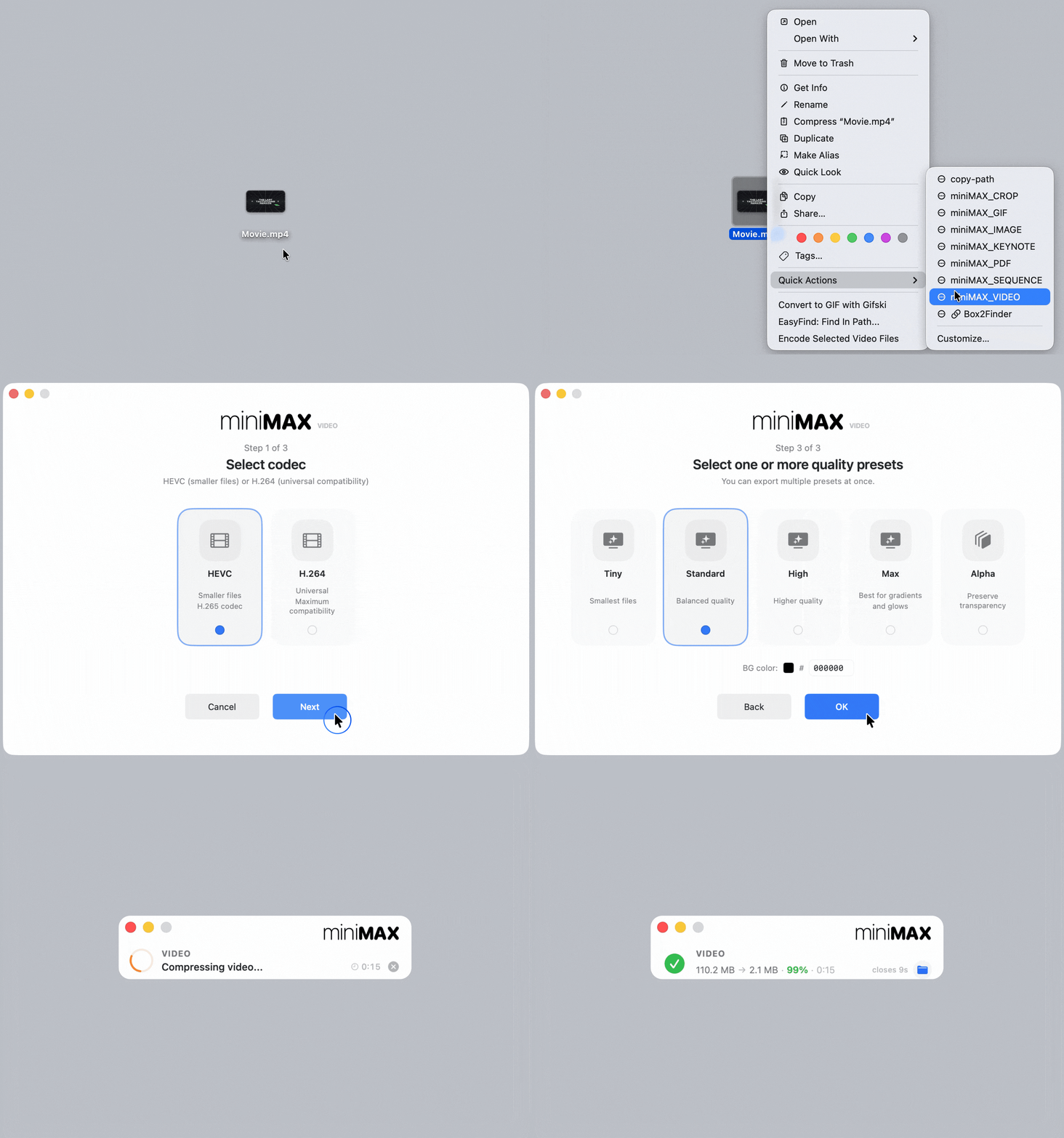
MiniMAX works in just a few clicks: right-click, choose your settings, done.
Everything runs locally, and the original files are never modified.

The miniMAX suite includes tools for compressing video, images, GIFs, Keynote files, and PDFs, along with workflows for converting between movies and image sequences. Together, they form a lightweight toolkit for reducing file size, speeding up sharing, and simplifying day-to-day media prep across collaborative projects.

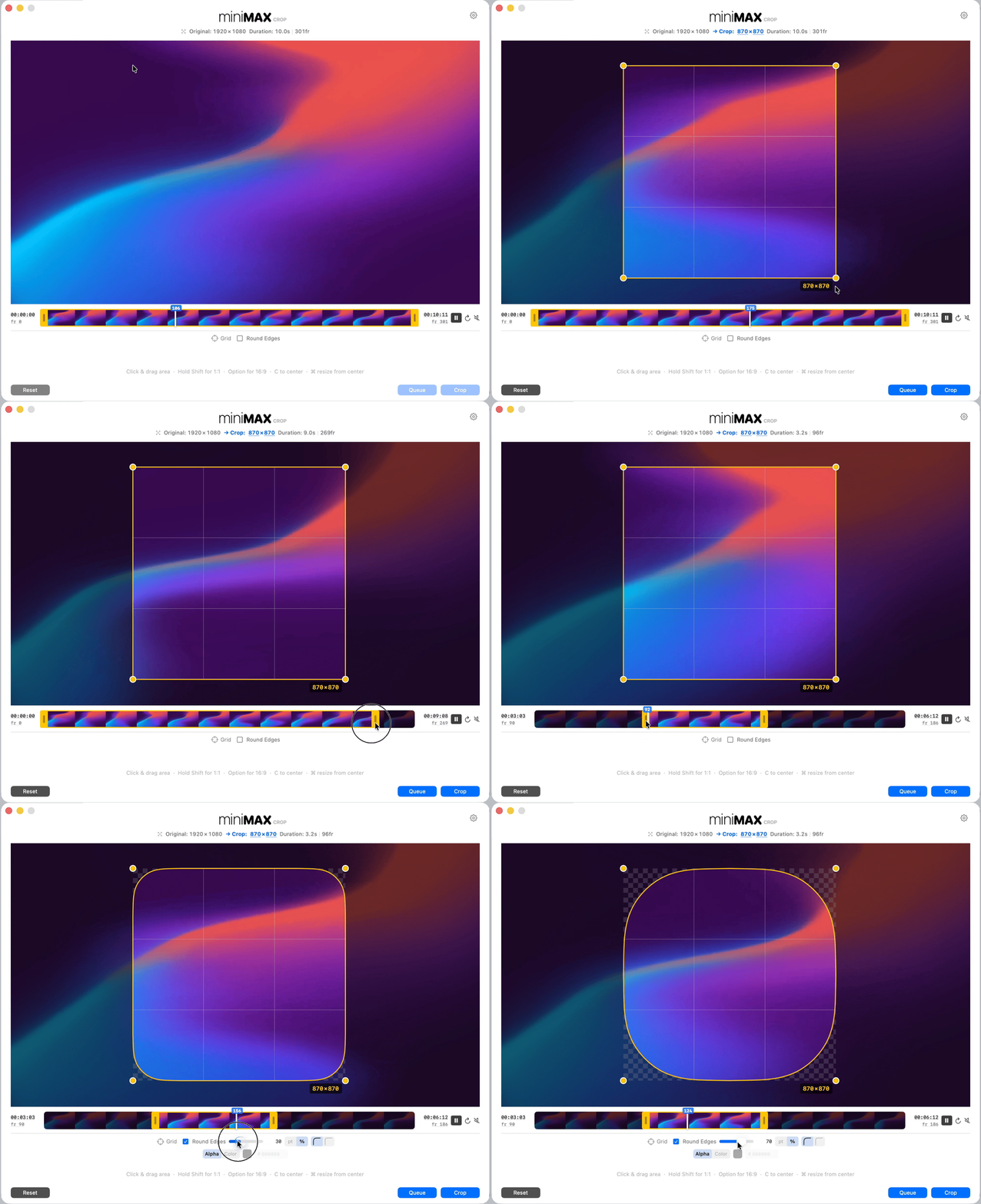
miniMAX CROP
A dedicated visual editor for quickly cropping videos and images, with timeline trimming, rounded corners, export presets, and batch processing.
For jobs that need more control than a quick right-click workflow, CROP opens in its own window for precise framing and export, while keeping the process lightweight and easy to use.
miniMAX SEQUENCE
A dedicated tool for working with EXR image sequences, with real-time playback, QuickTime export, Cryptomatte preview, object selection, and matte export.
Built for 3D render workflows, SEQUENCE makes it easier to review image sequences, isolate elements, and turn heavy production assets into simple QuickTime files.


miniMAX can process multiple files or entire folders at once, and run several tools in parallel, with live progress, task-by-task status, and success notifications as each job completes.